 IPTV Player
Your curated Home
Your Home.
Your order.
Move favourites up. Hide rails you don't use. On Android and Fire TV, make Home feel like your own front row.
Shape your Home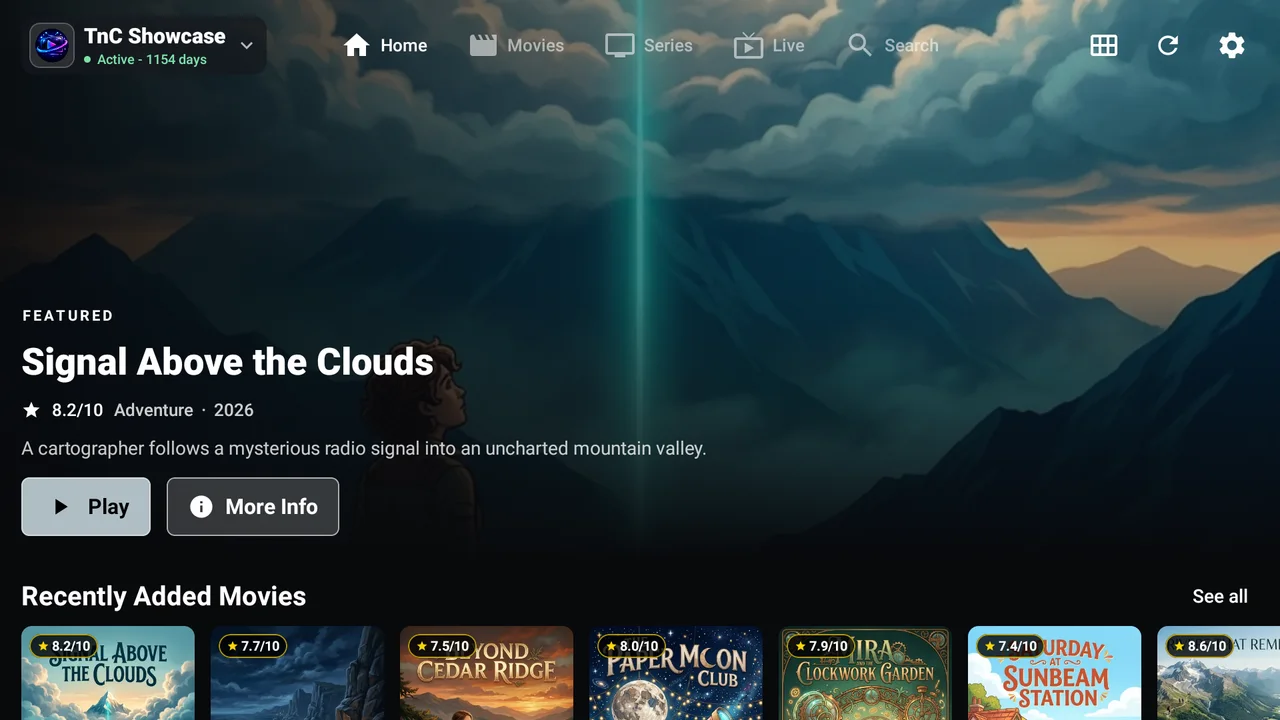
Meet your everyday player
From the first search to the next episode, built around how you actually watch.
Free to download. Free to use.
Available on Android devices, Fire TV, iPhone, and iPad. Features and settings vary by platform; galleries label Android and iPad screens separately.
Your curated Home
Move favourites up. Hide rails you don't use. On Android and Fire TV, make Home feel like your own front row.
Shape your HomeStay in the moment
Choose available audio and subtitles. Find the picture fit that feels right.
Control illustration. Options depend on your stream and device.
From sofa to on the go
D-pad navigation on Android TV and Fire TV. Touch-friendly browsing on phones and tablets, including iPhone and iPad.
Control illustration; actual interfaces vary.
Android & Fire TV guide
Use your saved live favourites to filter the TV timetable or phone Now & Next guide. Less noise. More worth watching.
Make the guide yours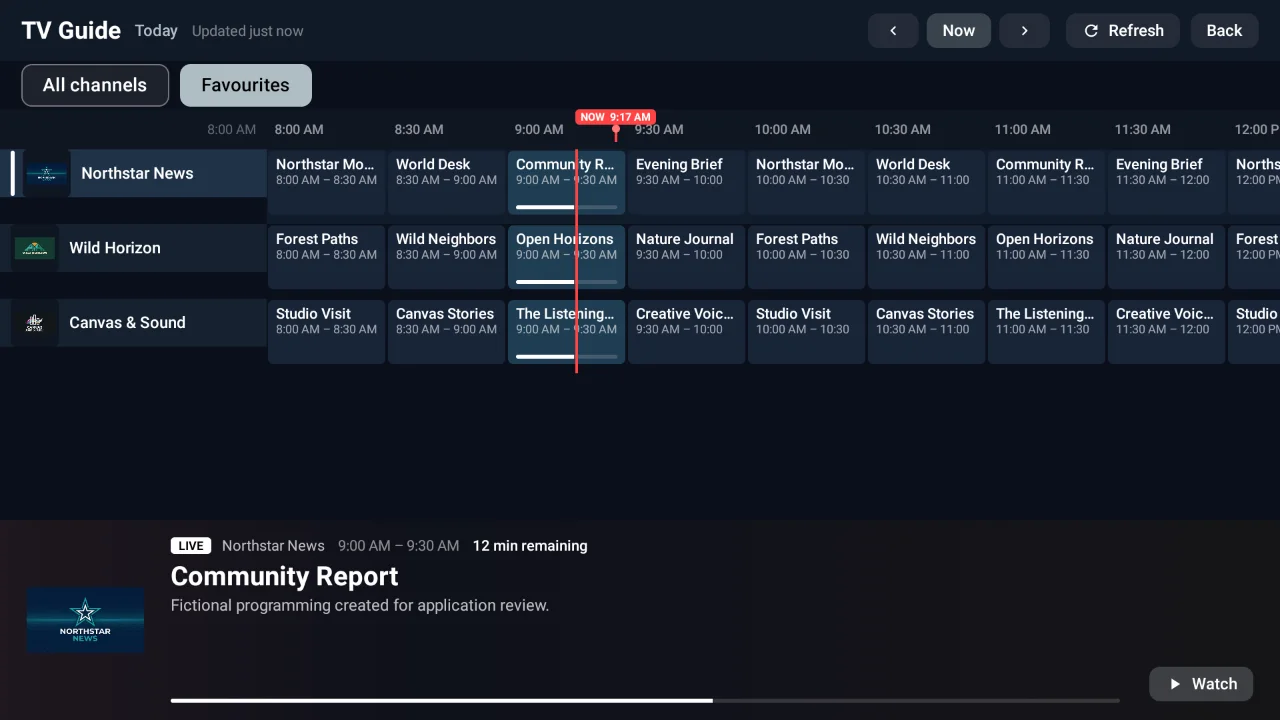
Keep favourites close. Build a Watch Later list for your next watch.
Find movies, series, and live channels across your playlist.
Filter and sort your Android/Fire TV catalogue. This doesn't translate audio.
Resume movies and series where you left off, on this device.
Feature illustrations; manage these options in the app. Features vary by platform.
Real screens. Everyday moments.
The big-screen experience and its pocket-sized companion. Select any screen for a closer look.
Check the synopsis, rating and cast, then play or save a title for later.
Browse episode titles, descriptions and runtimes before choosing what to watch.
Explore the TV timeline or phone Now & Next view. Switch to Favourites to narrow your guide.
Choose your featured banner, adjust items per rail, and show, hide or reorder your Home rows.
Pause, seek and explore playback options. Available tracks and stream details depend on your provider.
Captured with the app test engine on a real Fire TV and Android phone. Movie details, episodes and Guide use an authorised fictional sample catalogue; playback uses regular Demo mode. Screenshots are not included content or subscriptions. iPhone and iPad screens may differ. Playback images are still screenshots, not browser video. Playback stills: Big Buck Bunny, (c) 2008, Blender Foundation / www.bigbuckbunny.org, CC BY 3.0; shown within the app's playback controls.
Android TV / Fire TV
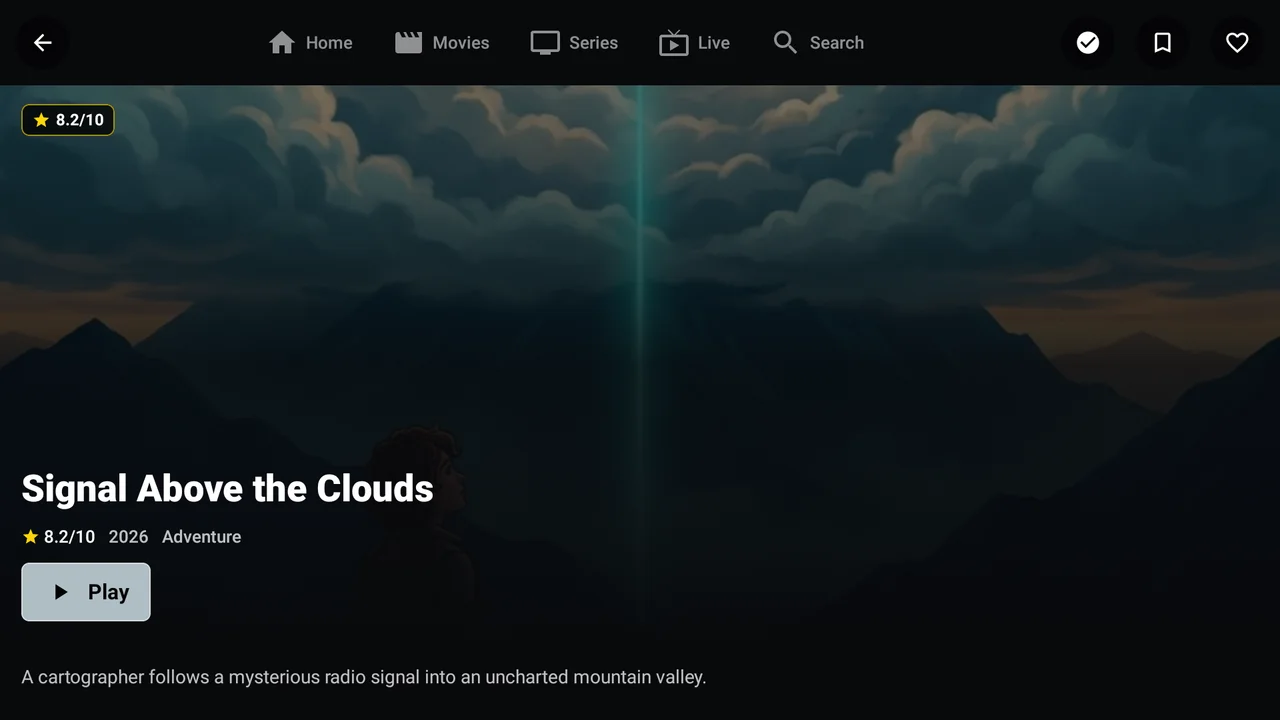
Check the synopsis, rating and cast, then play or save a title for later.
Android phone
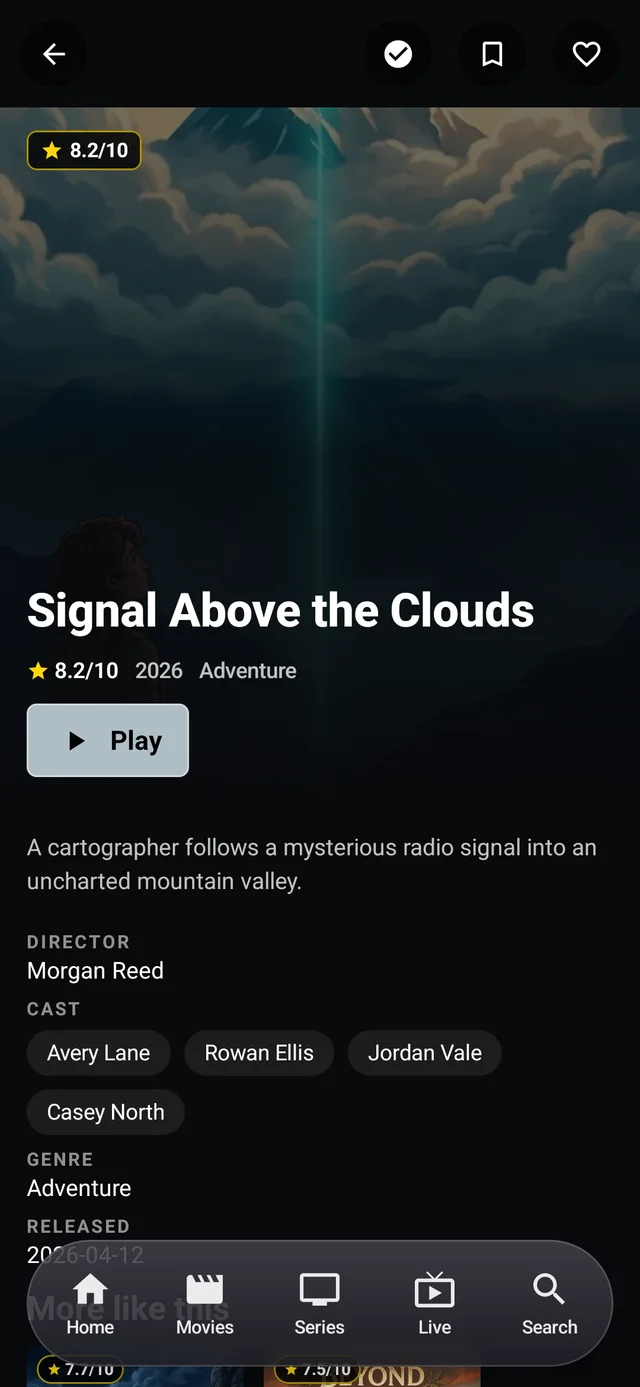
Check the synopsis, rating and cast, then play or save a title for later.
Android TV / Fire TV
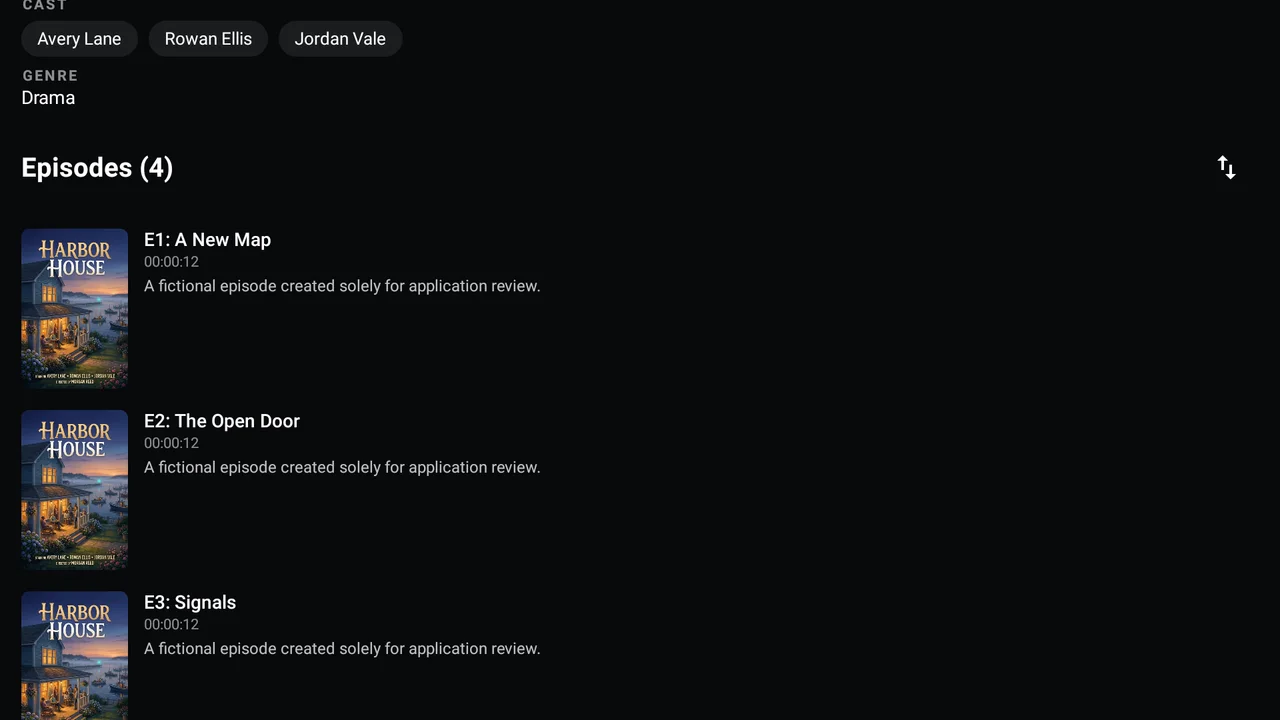
Browse episode titles, descriptions and runtimes before choosing what to watch.
Android phone
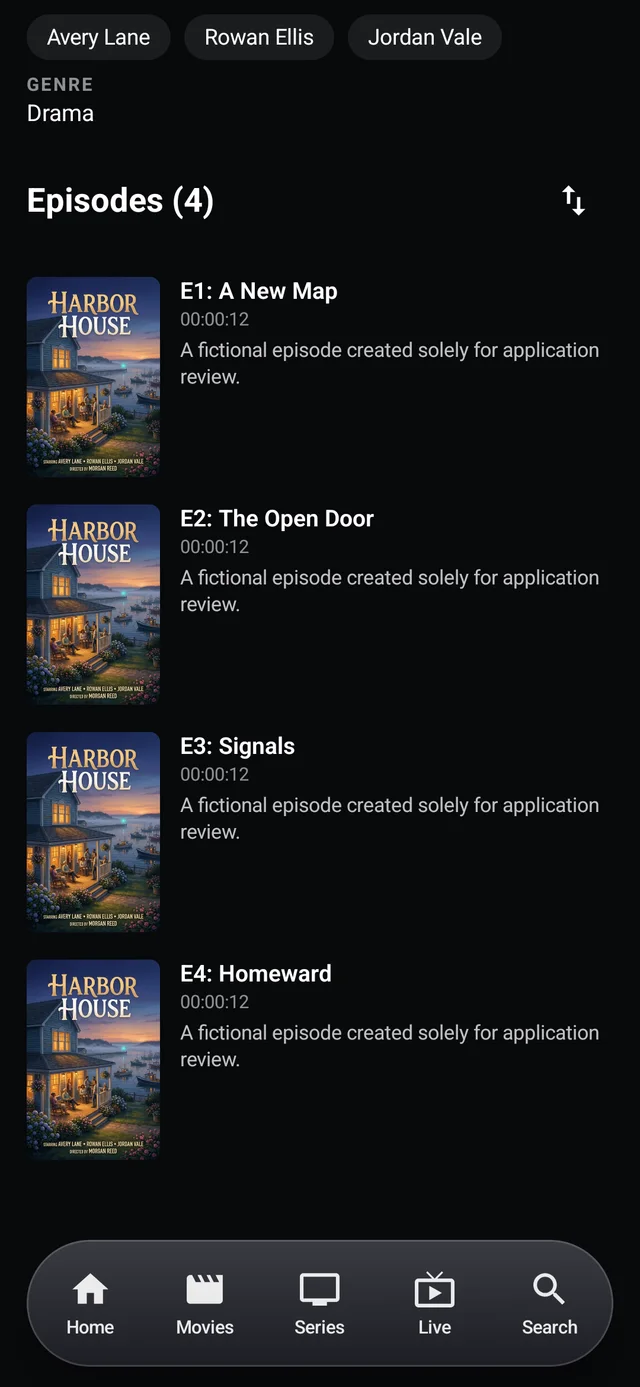
Browse episode titles, descriptions and runtimes before choosing what to watch.
Android TV / Fire TV
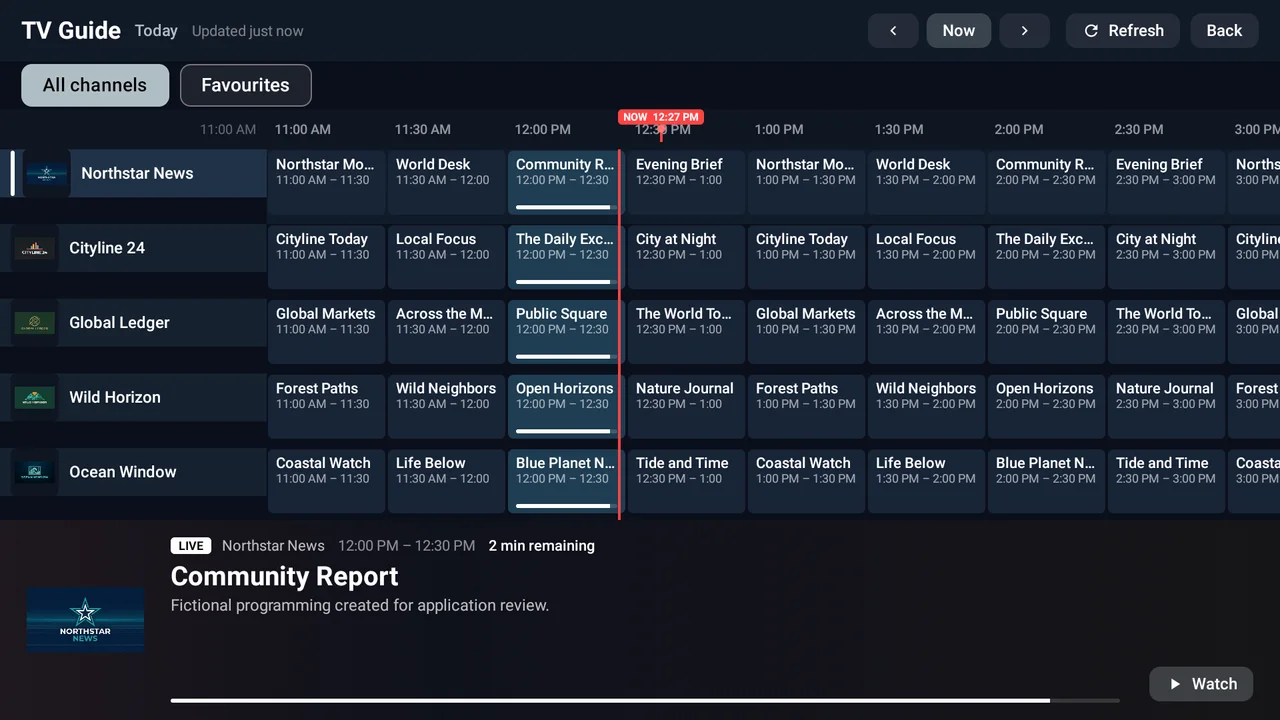
Explore the TV timeline or phone Now & Next view. Switch to Favourites to narrow your guide.
Android phone
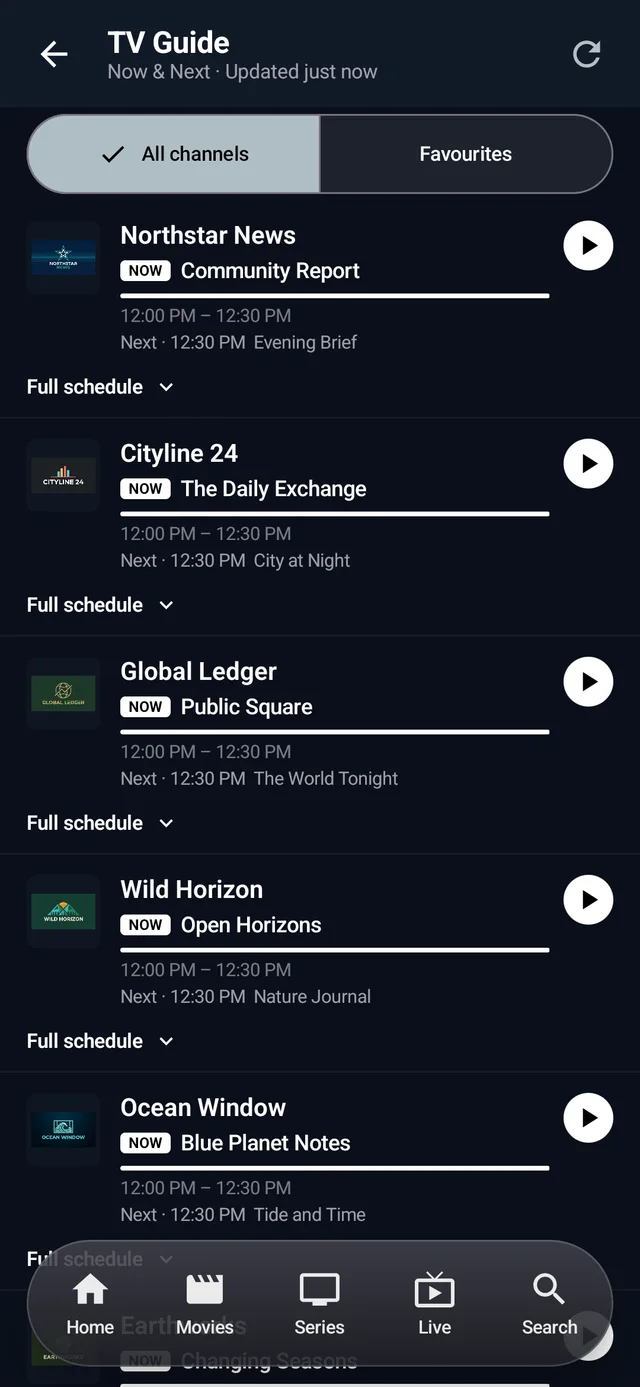
Explore the TV timeline or phone Now & Next view. Switch to Favourites to narrow your guide.
Android TV / Fire TV
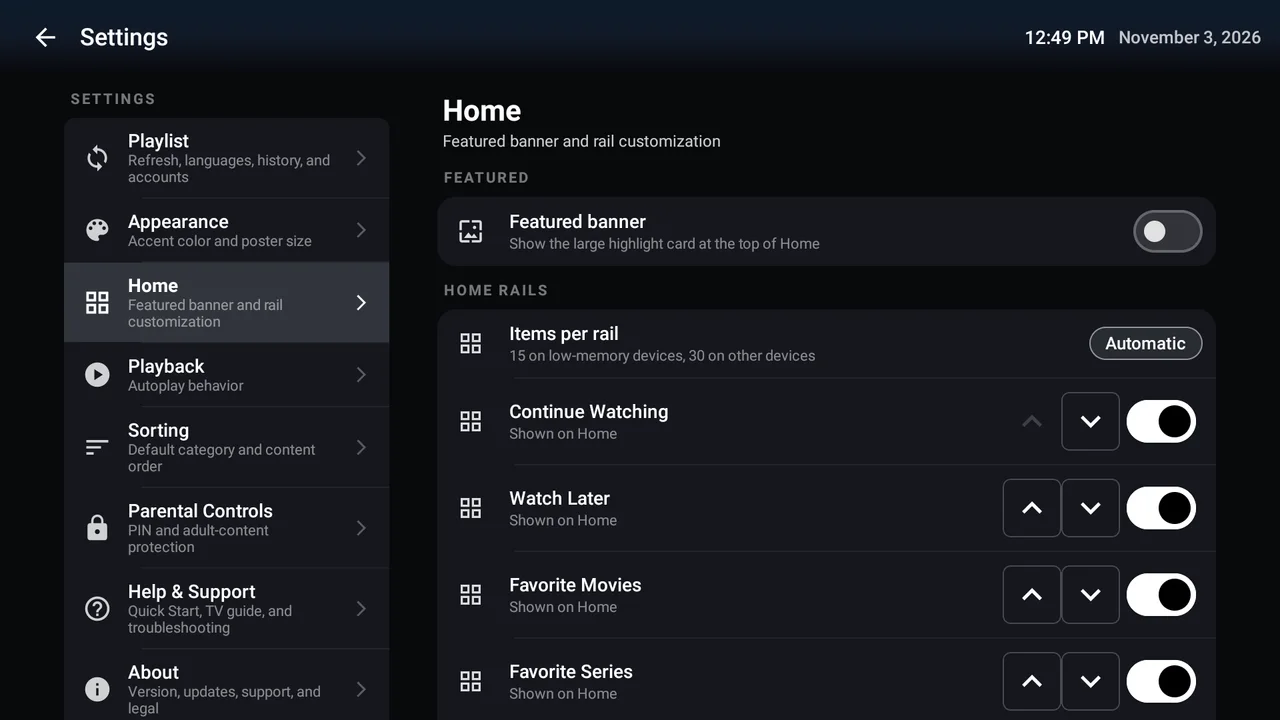
Choose your featured banner, adjust items per rail, and show, hide or reorder your Home rows.
Android phone
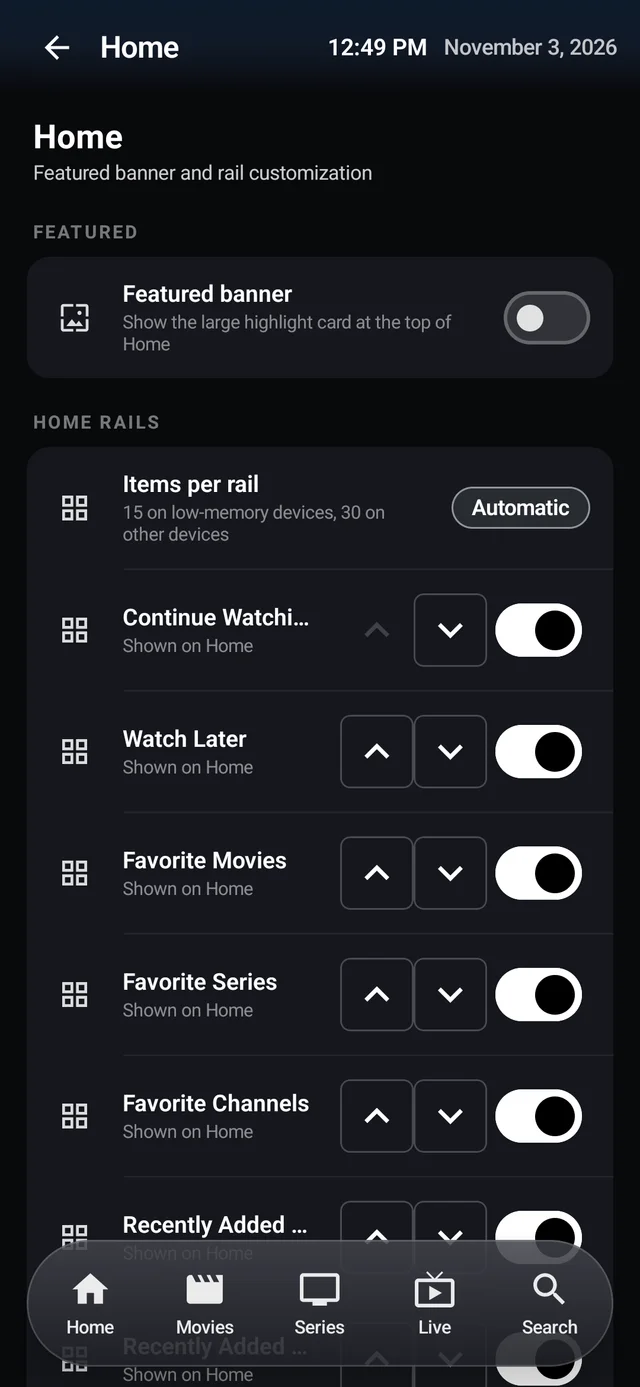
Choose your featured banner, adjust items per rail, and show, hide or reorder your Home rows.
Android TV / Fire TV
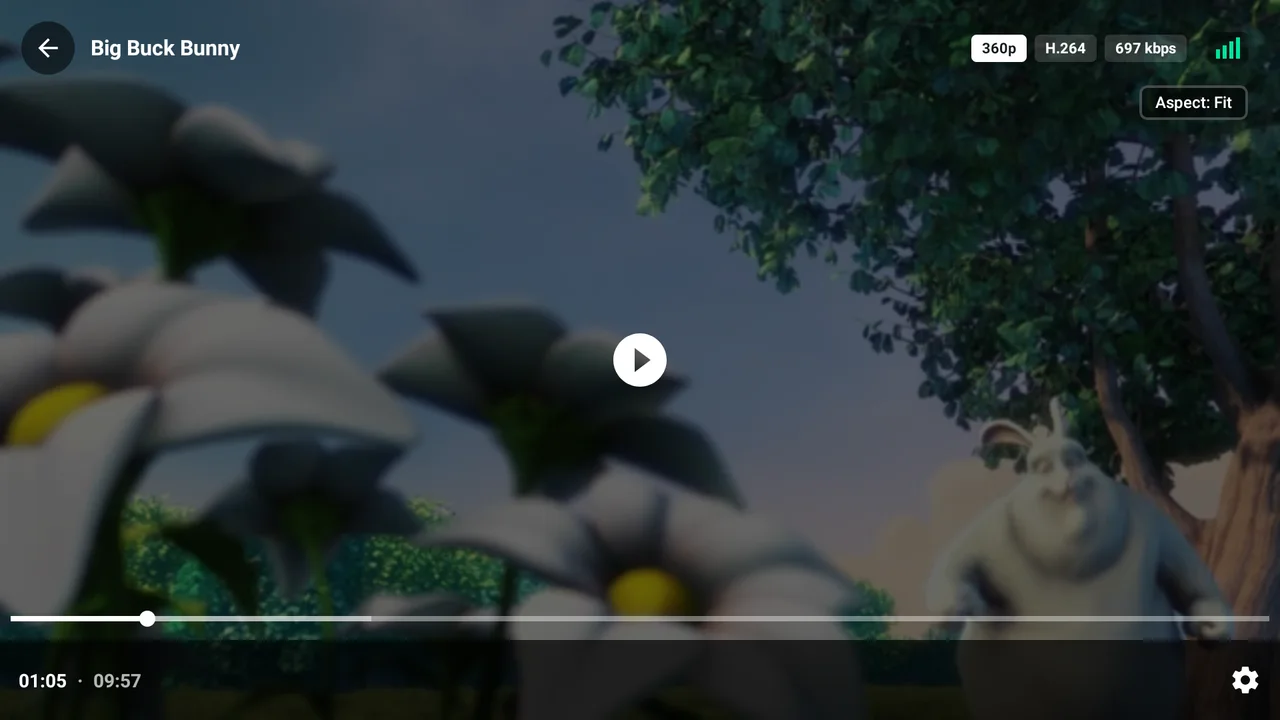
Pause, seek and explore playback options. Available tracks and stream details depend on your provider.
Android phone
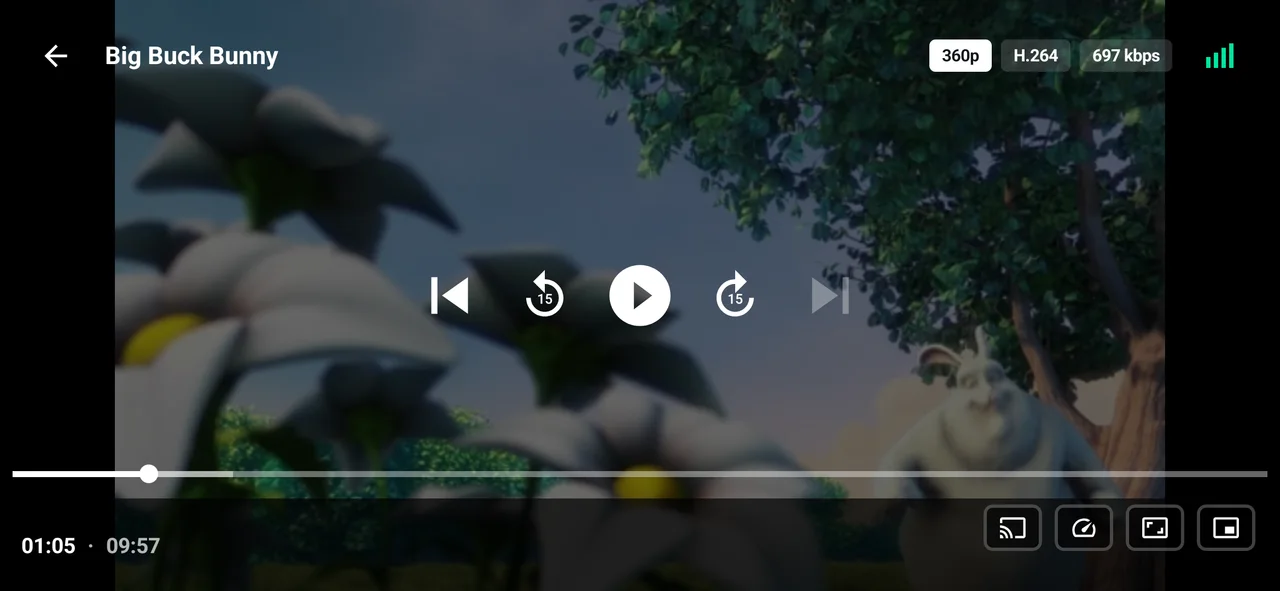
Pause, seek and explore playback options. Available tracks and stream details depend on your provider.
iPad / iPadOS
Genuine iPad layouts, framed for a closer look. Select any screen to enlarge it.
Keep the channel list beside your mini-player as you browse a live category.
Explore channels and programme times in the iPad landscape TV Guide.
Read the synopsis, rating and cast before starting a film.
Find a season and browse its episodes, descriptions and runtimes.
Show, hide and reorder Home rails to keep your favourite rows close.
Search Settings by name or a familiar term and see each result with its category path.
Captured locally in an iPad simulator using the same authorised fictional review playlist as our Android catalogue screenshots. These are actual app screens, not recreated interfaces. Sample channels, movies and series are not included content or subscriptions. Features and layouts differ by platform.
iPad / iPadOS
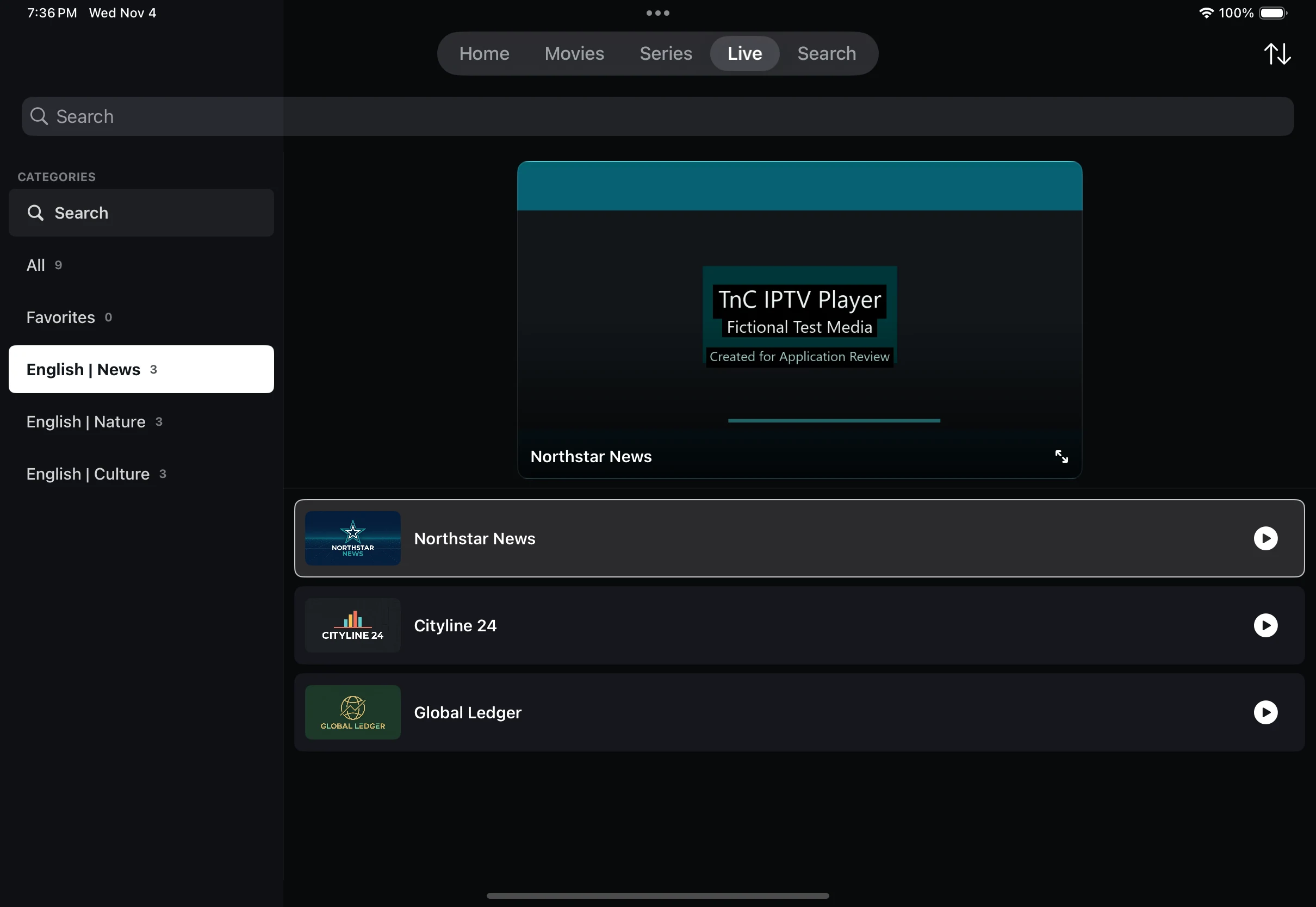
Keep the channel list beside your mini-player as you browse a live category.
iPad / iPadOS
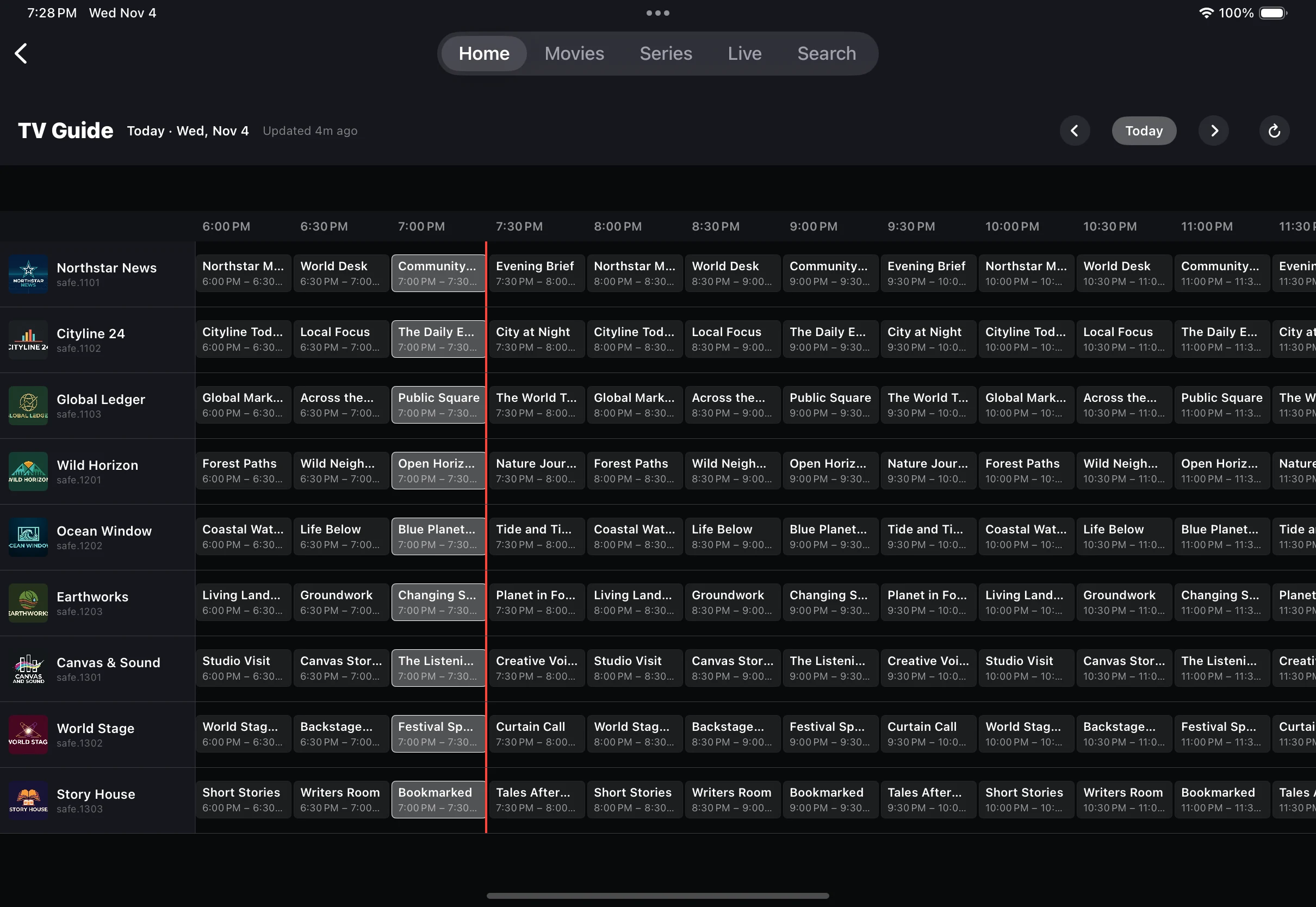
Explore channels and programme times in the iPad landscape TV Guide.
iPad / iPadOS
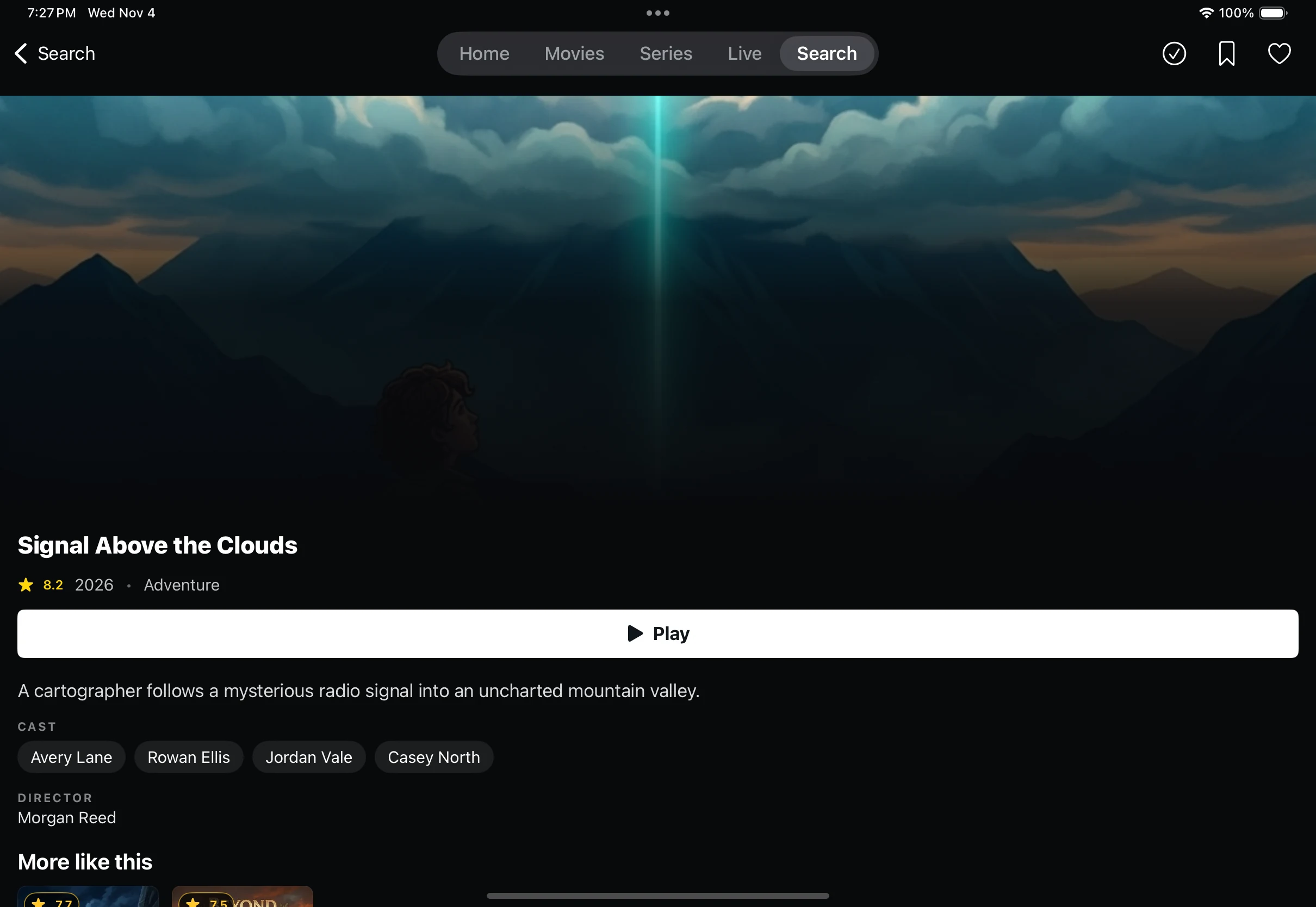
Read the synopsis, rating and cast before starting a film.
iPad / iPadOS
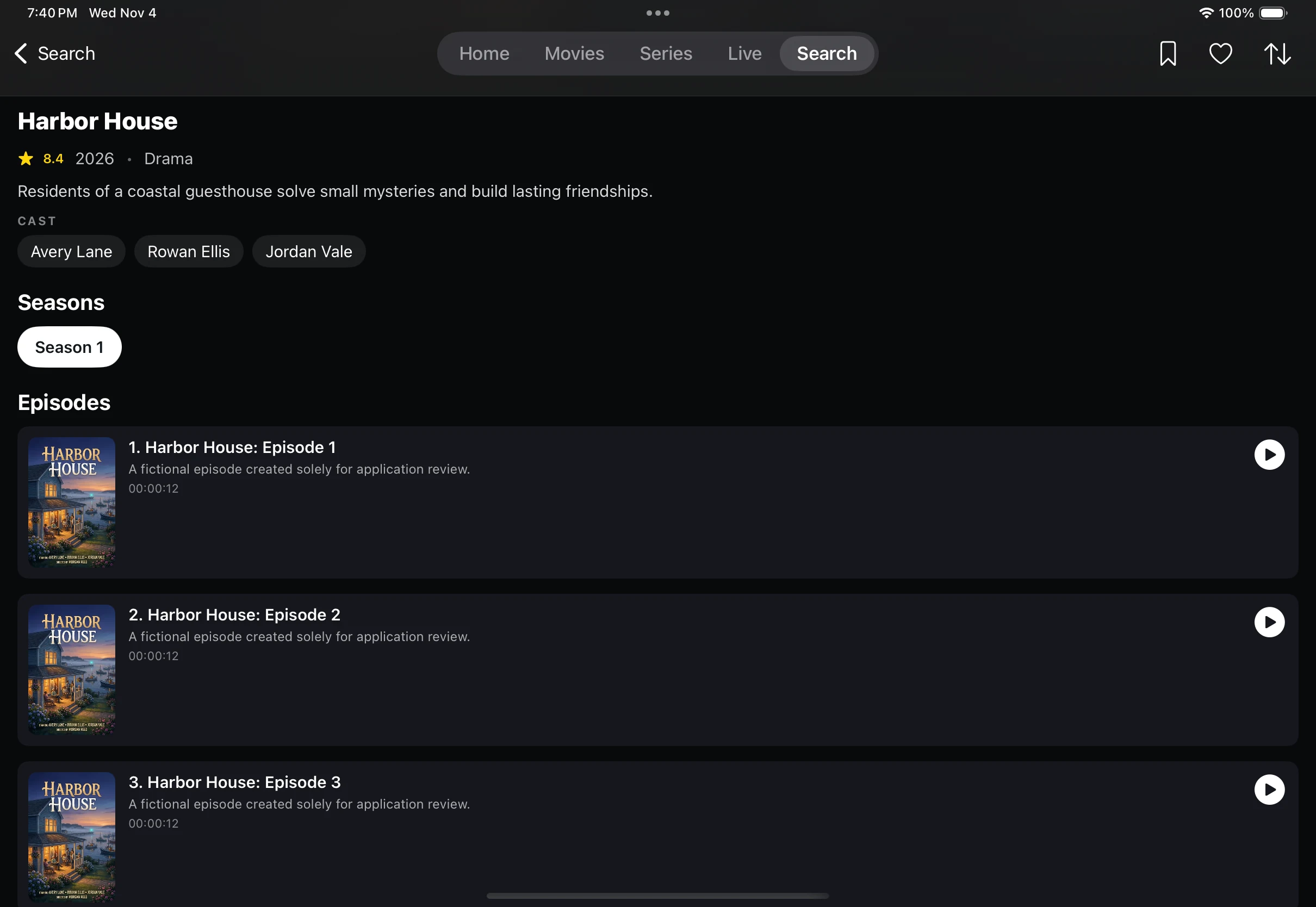
Find a season and browse its episodes, descriptions and runtimes.
iPad / iPadOS
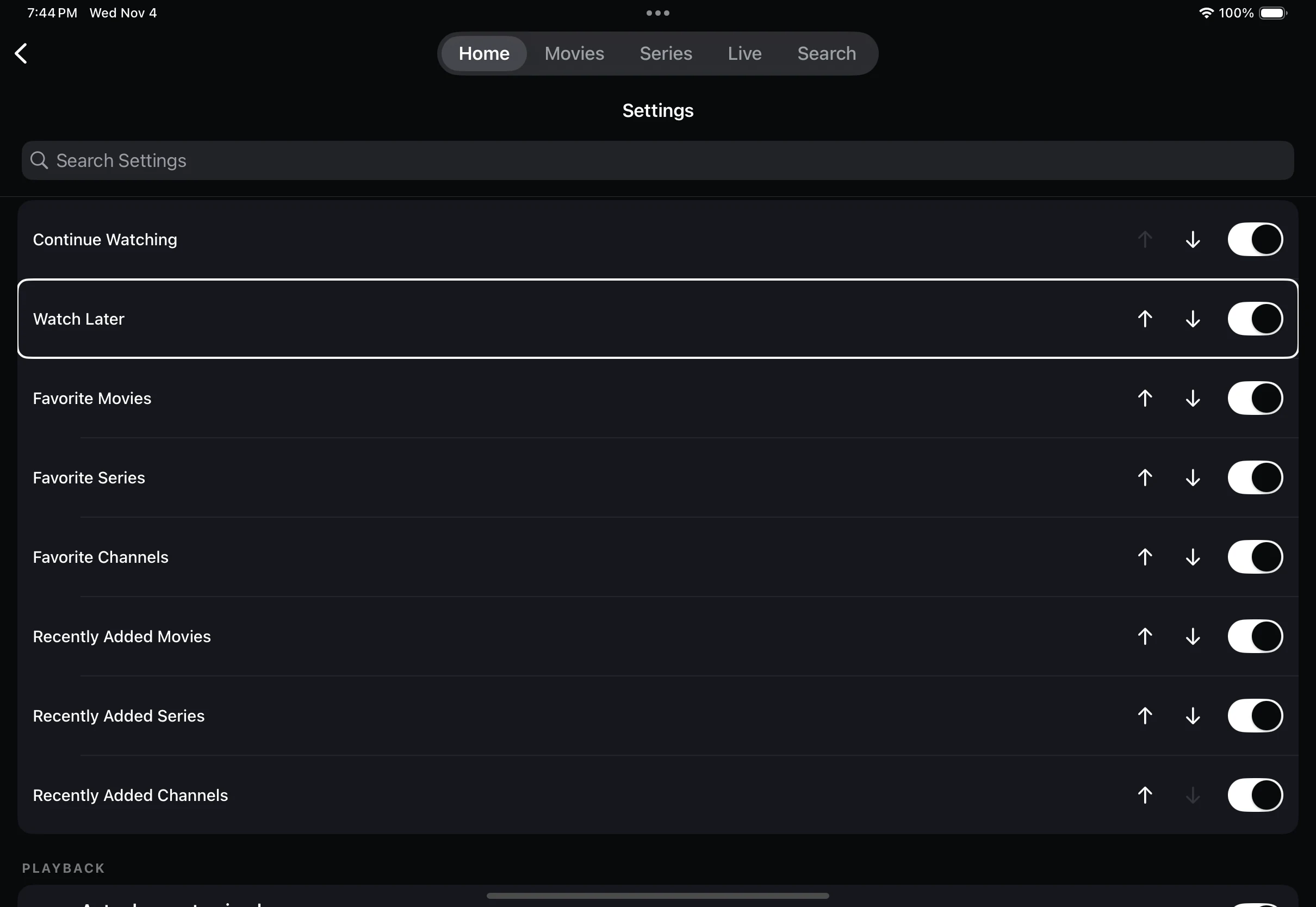
Show, hide and reorder Home rails to keep your favourite rows close.
iPad / iPadOS
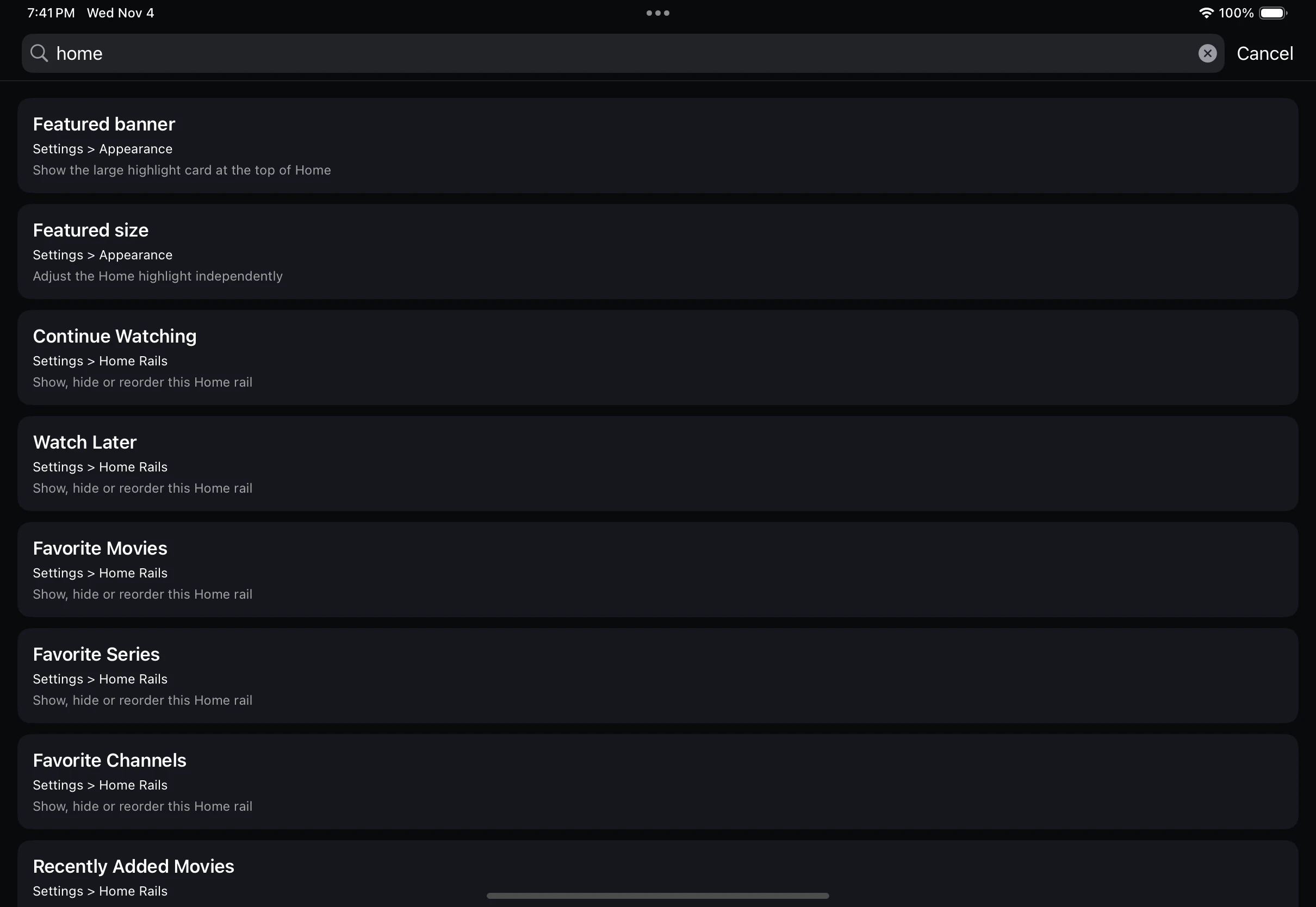
Search Settings by name or a familiar term and see each result with its category path.
Bring an authorised playlist. Streams, categories, audio, subtitles, and guide data depend on your provider. Features and settings vary by platform.
On Android and Fire TV, read the bundled guide in Settings > Help & Support, even offline. Or get help here on any device.